If you sell on Shopify, Amazon or your own store, you already have the hardest part of an ad: a product page that explains why someone should buy. It has photos, a list of benefits, a price, often reviews. What most sellers lack is the time and budget to turn that page into a steady flow of video ads.
AI closes that gap, if you use it carefully. This guide shows how to go from product page to product video ads, which ad formats sell, and how to make sure the product in the ad looks like the product people receive.
What you need before you start
Gather four things. Good inputs are most of the result.
- Clear product photos. A clean front shot with the label readable, plus a few angles and an in-use shot if you have one. These become the AI's references.
- Three real benefits. Not features: benefits. "Stays cold for 24 hours" beats "double-wall vacuum insulation." Only list what's true and provable.
- Who it's for. One sentence: "busy commuters who forget to drink water," not "everyone."
- The offer. Price, bundle, free shipping, a first-order discount: whatever you'd say at the end of the ad.
In Larkroot, you paste your product page and the details, benefits and photos fill in. Check the benefits it found, and delete anything you can't back up. Ads only claim what you list.
Five product video ad formats that sell
| Format | What it looks like | Best for |
|---|---|---|
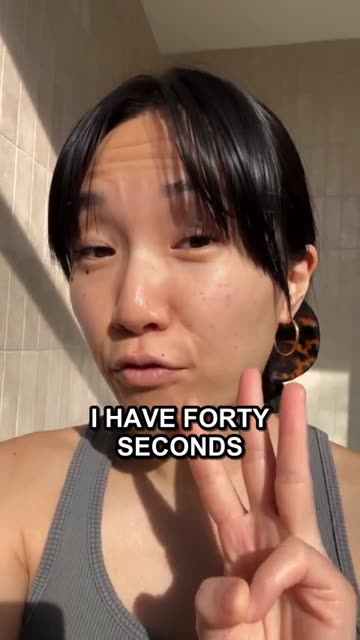
| UGC selfie explainer | A creator talks to camera, holding the product | Building trust with cold audiences (a real customer can review; an AI creator explains and demonstrates) |
| Problem → solution demo | The annoying moment, then the product fixing it | Products with a clear before and after |
| Routine / day in the life | The product appears naturally in a routine | Beauty, wellness, food, everyday items |
| Unboxing / first impression | Opening the package, first reaction | Gifts, premium packaging, new launches |
| Static or carousel | Product photo plus a bold benefit line | Retargeting, simple offers, fast testing |
You'll find which formats are working in your category by looking at what competitors keep running. Our Meta Ad Library guide shows how to spot long-running ads, and our guide to remaking a winning ad without copying it shows how to borrow the structure.
Step by step: product page to a finished ad
1. Import the product
Paste the URL. Review the name, description, benefits and photos. Add the product's real photos if the page has few.
2. Pick a format and a hook
Choose one of the formats above and write the opening line. If you're stuck, start from our 24 hook formulas. "The result first" and "call out the moment" work especially well for physical products.
3. Choose who presents it
Options: no presenter (product and text only), a consistent AI creator, or your own footage. A recurring AI creator gives your ads a recognizable face; see how to create an AI influencer for your brand.
4. Generate, then check the product carefully
Before you run anything, check:
- The label. Is the brand name spelled right? Is small text garbled? If it is, regenerate, or choose shots where the label is large.
- Shape and color. Is the bottle the right shape? The cap the right color?
- Scale. Does it look the right size in the hand?
- Claims. Does the script say anything your product doesn't do?
Larkroot sends your product's real photos along with every picture and video it makes, so the label and packaging stay as close to the real thing as possible. Still, always review before you publish. You know your product better than any model.
5. Make versions, not just one ad
One ad is a guess. Five versions are a test. Change the hook, the presenter or the length, and keep the body. In Larkroot, a new hook, creator, length or voice for a finished video is a variation, not a new production.
Import your product, make one talking ad, then test new hooks and lengths without starting over. Every price is shown before anything is made.
A worked example: one product, three ads
Take a portable espresso maker. From its product page we pull three real benefits: no electricity needed, fits in a backpack, makes a proper crema. Here's how one product becomes three different ads:
| Ad | Hook (0–3 s) | Body | Proof | Close |
|---|---|---|---|---|
| Problem → solution | "Campsite coffee doesn't have to taste like regret." | Hand pump, no power: grounds in, hot water, pump. | Close-up of the crema pouring. | "Link below. Free shipping this week." |
| Day in the life | "Coffee at 2,000 meters, before anyone's awake." | Morning hike, unpacking it from a side pocket. | Steam against the sunrise. | "Packs smaller than your water bottle." |
| Static ad | Product photo, bold line: "Real espresso. No outlet." | n/a | Subline: "Fits in a backpack." | "Shop now" button |
Same product, same facts, three different reasons to stop scrolling. Test all three, keep the winner, then make versions of it.
Sizes and placements cheat sheet
Make the vertical version first, then adapt.
| Placement | Shape | Notes |
|---|---|---|
| TikTok, Reels, Stories, Shorts | 9:16 vertical | Keep text and faces away from the top and bottom edges, where buttons and captions cover them |
| Facebook and Instagram feed | 4:5 or 1:1 | 4:5 takes more of the screen on mobile |
| YouTube in-stream, some marketplace video | 16:9 | Hook in the first seconds, before the skip button |
| Static image ads | 1:1, 4:5, 9:16 | One message, readable at a glance |
Platforms update their specs often, so check the current requirements in each ad manager before uploading.
Run it as an ad (and see what's working)
When your ad is ready, you can post it organically, schedule it, or run it as a paid ad. In Larkroot you can run any finished post as a Facebook and Instagram ad on your own Meta ad account: set a daily budget, start and pause it, and see spend, clicks and results in one place.
Then repeat. The sellers who win with video ads aren't the ones with the single best ad. They're the ones who make new ones every week, keep the winners and retire the tired ones. Our creative fatigue guide explains when to refresh.
Common mistakes sellers make
- Listing features instead of benefits. Nobody buys "18/8 stainless steel." They buy "no metallic taste."
- Starting with the logo. Start with the problem or the result.
- One ad for every platform. Reformat for each placement. Vertical first.
- Not checking the label. A garbled brand name in an ad undermines trust instantly.
- Overclaiming. "Cures," "guaranteed" and "best in the world" get ads rejected and customers angry.
- Testing one version. Make three to five, keep the winner, iterate.
Frequently asked questions
Can AI make a video ad from my product page?+
Yes. Modern tools read your product page (title, description, benefits and photos) and use them to write and generate the ad. The quality depends on good source photos and clear benefits, so check those first.
Will AI change how my packaging looks?+
It can. AI models sometimes garble small text on labels or invent details. Give the model your real product photos as references for every shot, review the result before you run it, and prefer shots where the label is large and simple.
What size should product video ads be?+
Make vertical 9:16 for TikTok, Reels, Stories and Shorts, which is where most short-form attention is. Use 4:5 or 1:1 for feeds, and 16:9 for YouTube and some marketplace placements. Check each placement's current specs before you upload.
Are still image ads still worth making?+
Yes. Static and carousel ads are cheap to make and test, and they work well for retargeting and simple offers. Many advertisers mix static, carousel and video so the platform can show each person the format they respond to.
Larkroot reads your product page, keeps its real photos with every picture and video so the label looks right, and only claims the benefits you list.